Mantis in Eclipse with Mylyn
This is a post especially for those who use Mantis as a bug tracker software and Eclipse as development software. For our PHP and JAVA development we do all the programming in Eclipse and wouldn’t it be easy if Eclipse recognized the bugs we are working? Wouldn’t it be easy if we could just get an automatic link between mantis and the commits we do in subversion (svn).
Well, praise the lord, ’cause there is an open source project out there that does all these things called Mylyn.
Mylyn is a task-focused interface for Eclipse that reduces information overload and makes multi-tasking easy. It does this by making tasks a first class part of Eclipse, and integrating rich and offline editing for repositories such as Bugzilla, Trac, and JIRA. Once your tasks are integrated, Mylyn monitors your work activity to identify relevant information, and uses this task context to focus the user interface on the task-at-hand. This puts the information you need at your fingertips and improves productivity by reducing searching, scrolling, and navigation. By making task context explicit Mylyn also facilitates multitasking, planning, reusing past efforts, and sharing expertise.
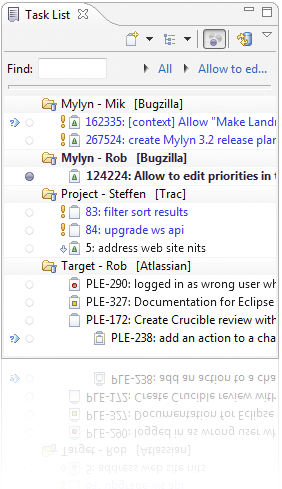
After a quick install and doing the configuration in Eclipse the interface is installed in Eclipse and ready to work with. And it is great! Easy overviews of all the bugs sorted by filter as you personally prefer, great layout to create and manage the bugs, etc.
It communicates quite nice with mantis, it could be a bit faster but let’s not fall over that tiny thing. The cool thing though is when working for a specific bug, all changes will be committed on those files with a reference to that specific bug. This makes it very easy to get see what files where changed for a specific bug.
For example when you commit changed files you will be asked to comment your committed files. Mylyn links your files directly to the current bug you are working on and puts this in the comment area: “fixed issue #178: Change user name to full name” . The number of the issue and the state are first mentioned and the title completes your comment.
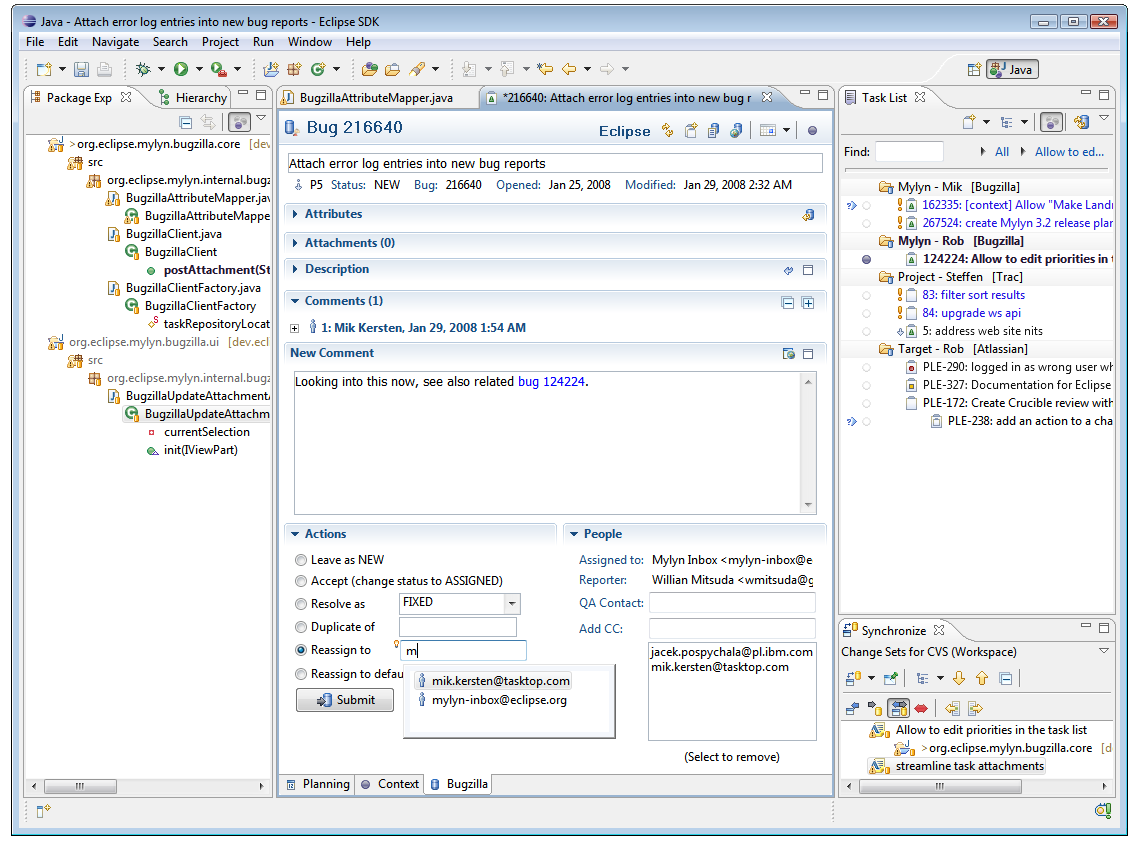
In the screenshot you can see how a bug can be inserted or edited in a easy layout and inside the eclipse environment. Click on the image or here to see a larger image
My colleague Toni also installed WebSVN that gives us a super overview on all those changes and files committed in subversion.
If you use Mantis and Eclipse and SVN I highly recommend that you use these two utilities.
Comments